




Before you leave...
Take 20% off your first order
20% off
Enter the code below at checkout to get 20% off your first order

Discover summer reading lists for all ages & interests!
Find Your Next Read
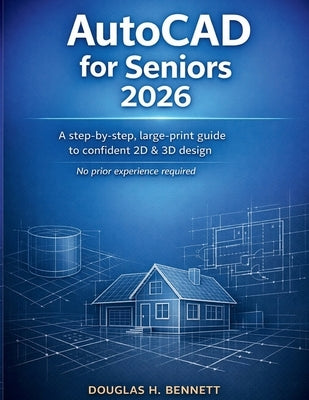
Stop Feeling Overwhelmed. Start Creating.
Have you ever opened AutoCAD only to feel instantly lost in a sea of buttons and complex menus? Most manuals are written for engineers who already know the jargon, leaving everyone else behind.
AutoCAD for Seniors 2026 is different. This is a clarity-first guide designed specifically for older adults, retirees, and hobbyists who want to master the world's most powerful design software-without the frustration. Whether you want to draft a new floor plan for your home, explore 3D modeling, or simply keep your mind sharp with a new skill, this book meets you exactly where you are.
Why This Guide is the Perfect Fit for You:Large-Print & Easy on the Eyes: No squinting required. Instructions are laid out in a clean, readable format designed for visual comfort.
No Experience? No Problem: We assume you've never touched CAD before. We explain the "why" behind every "how" in plain, conversational English.
A Relaxed Learning Pace: We don't rush. Each chapter builds your confidence, moving from simple lines to professional-looking drawings at a speed that feels right.
2026 Updated Content: Learn the latest AutoCAD 2026 features with simplified explanations that skip the technical fluff.
The Basics: Navigate the interface with ease and customize it for your comfort.
Precision Drawing: How to create lines, shapes, and layouts that are perfectly accurate.
Editing Made Simple: Use tools to tweak and fix your drawings without starting over.
Organization Skills: Learn to use layers and colors to keep your projects tidy.
Adding Details: How to insert readable text, dimensions, and professional annotations.
3D Exploration: A "fear-free" introduction to 3D modeling to bring your ideas to life.
Sharing Your Work: Easy steps to save, print, and export your designs correctly every time.
Homeowners & Hobbyists: Planning a renovation or a woodworking project? Learn to draw your own blueprints.
Lifelong Learners: Keep your cognitive skills sharp by mastering a modern professional tool.
Retirees: Turn your years of experience into digital designs for personal or community projects.
Don't let "technical overwhelm" stop you from designing. If you're looking for a guide that respects your pace and supports your learning style, AutoCAD for Seniors 2026 is the partner you need.
Thanks for subscribing!
This email has been registered!
Take 20% off your first order
Enter the code below at checkout to get 20% off your first order